Wrong Number Scam Texts: New Consumer Study
September 7, 2026
QR Code, Bank & Local Number Scams | Nomorobo
September 28, 2026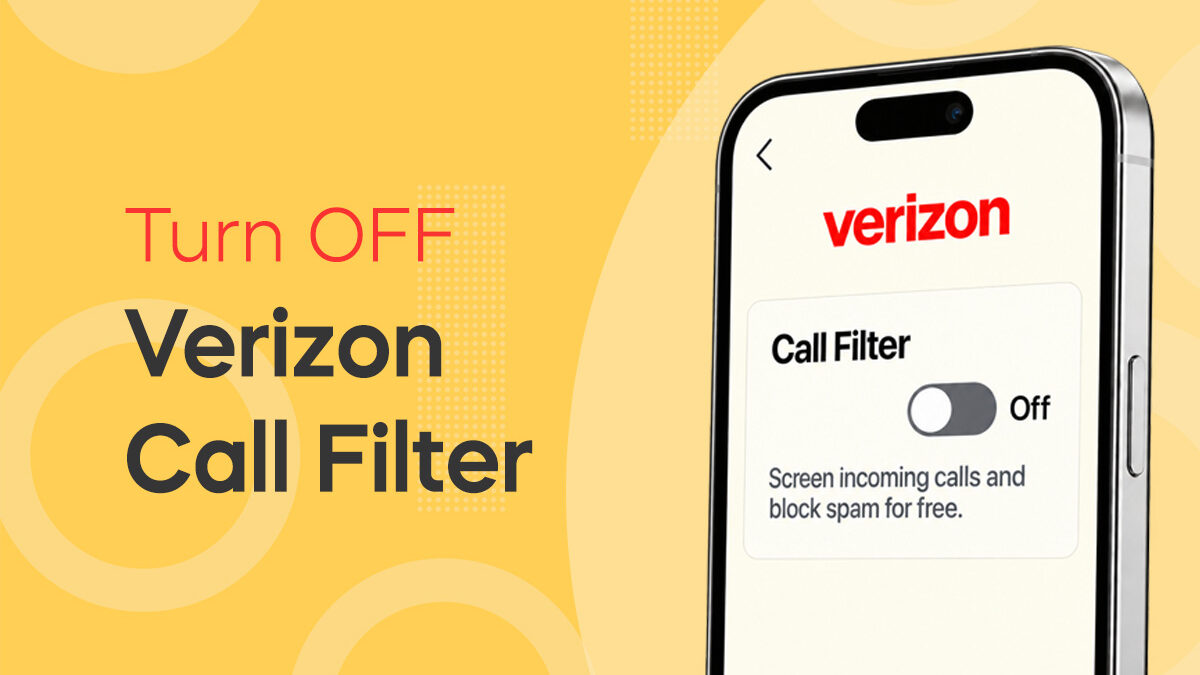
How to Turn Off Verizon Call Filter Before Setting Up Nomorobo
Trying to set up Nomorobo on a Verizon phone, but onboarding just won't finish?
Verizon Call Filter may be the reason.
Call Filter is Verizon's own spam-screening service, and it may already be enabled on your line. Because it can screen or block calls at the Verizon network level, it can interfere with the call setup Nomorobo needs to complete.
The fix is simple: turn off Call Filter spam blocking for the line you're setting up, then return to Nomorobo and continue onboarding.
How to Turn Off Verizon Call Filter in the My Verizon App
Make sure you're signed in to the My Verizon app with access to the phone line you want to protect with Nomorobo.
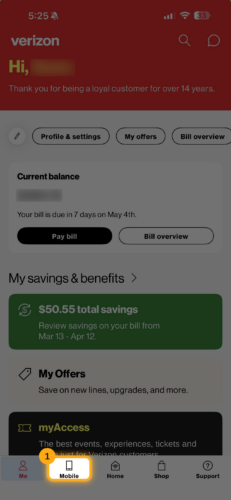
1. Open the Mobile section
Open the My Verizon app and tap Mobile in the navigation bar at the bottom of the screen.
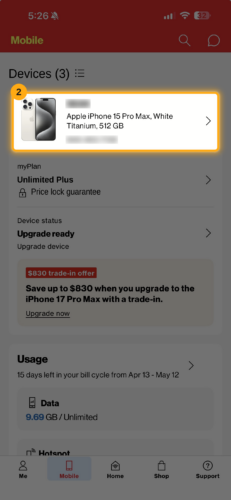
2. Select your device
Under Devices, tap the phone number or device you're currently setting up with Nomorobo.
If you have several Verizon lines on your account, make sure you select the correct one.
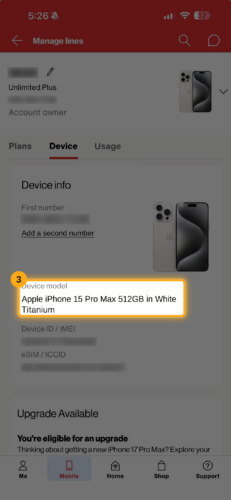
3. Open the device settings
You'll arrive at the Manage lines screen for the selected device.
Confirm that you're viewing the correct phone under the Device tab, then scroll down the page.
4. Expand Settings & preferences
Scroll until you see Settings & preferences.
Tap it to expand the available call and device settings.
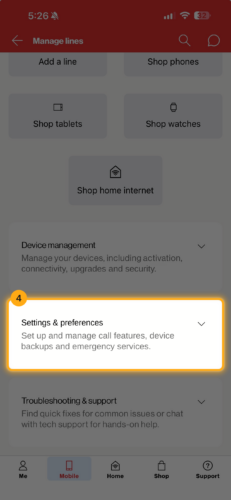
5. Select Call Filter
Inside Settings & preferences, find Call Filter and tap it.
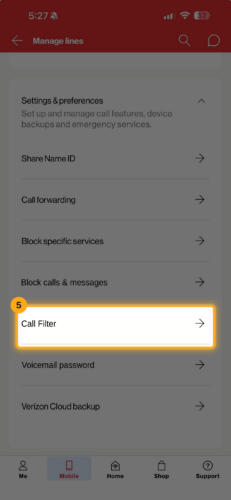
6. Turn Call Filter off
Find the setting for automatically screening or blocking spam calls and switch the toggle to Off.
That's it.
Return to Nomorobo and continue the onboarding process.
Still Having Trouble Setting Up Nomorobo?
If Call Filter is off but Nomorobo onboarding still isn't completing:
- Double-check that you disabled Call Filter on the same Verizon line you're adding to Nomorobo.
- Close and reopen Nomorobo and try the setup again.
- Make sure you're following all of the instructions shown during Nomorobo onboarding.
- Contact Nomorobo Support if you continue to have trouble.
Verizon also maintains its own instructions for managing Call Filter through My Verizon. Verizon's official Call Filter instructions
Let Nomorobo Handle the Spam
Once setup is complete, Nomorobo can protect your phone from unwanted calls, robocalls, scams, and suspicious callers without you having to constantly manage block lists yourself.
Nomorobo Max provides advanced call screening, spam-call blocking, scam-text protection, and other layers of phone-fraud protection.
Ready to finish your setup?